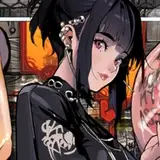
![[PH][Release] Wang Yuanji from DW9](https://img5.samsuka.com/storage/2/nn/ug/c6f9d9-019e8ed6-1d40-7121-b38b-d60b672717ba.jpg)
Studio not included. If you want it, follow my tutorials down below.
Requirements: Wide Slider, MoreSlotID, HoneyPot are needed.
INSTALLATION
1. Back up your resources.assets file under PlayHome64bit_Data folder. If you don't do this, when problem occurs, you'll not have a chance to restore. The mod replaces Face Type 4 in the original game, that may cause conflicts.
2. Unzip the zip file to the root folder where PlayHome64bit.exe lies. Continue to replace the existing resources.assets file.
3. If you installed my other PH mod before, this will replace all the previous mod files too.
Mega Download for PH version 1.4
Unzipping pass:
nzhrxyth24
BUG FIXING
A. If you can use my zip file directly, congratulations and ignore anything below.
B. Else, if the character disappears or if some bizarre texture appears on the teeth, tongue or somewhere else, try the following tutorials. You need to use SB3U (v1.12.10 recommended) to port my fbx files (in the fbx folder of my zip file) into your own resources.assets file(s).
Text tutorial: http://blog.sina.com.cn/s/blog_68fcc5a40102yg8j.html
Video (forgive my accent)
https://www.youtube.com/watch?v=L02fv4TVxtw&t=34s
C. If the hair shines sharply, shut off Bloom in the settings. Details refer to My DiaoChan PH release post.
Xyth24
2018-11-23 08:22:26 +0000 UTCXyth24
2018-11-23 04:28:05 +0000 UTCXyth24
2018-11-23 02:56:00 +0000 UTCChen Von Zufall
2018-11-22 19:27:28 +0000 UTCXyth24
2018-11-19 01:54:44 +0000 UTCNeeba
2018-11-18 19:18:35 +0000 UTCXyth24
2018-11-14 02:57:21 +0000 UTCChen Von Zufall
2018-11-13 21:30:42 +0000 UTCChen Von Zufall
2018-11-13 21:22:48 +0000 UTCChen Von Zufall
2018-11-13 21:21:41 +0000 UTCXyth24
2018-11-13 02:02:13 +0000 UTCXyth24
2018-11-13 01:58:59 +0000 UTCXyth24
2018-11-13 01:56:38 +0000 UTCChen Von Zufall
2018-11-12 23:37:10 +0000 UTCNeeba
2018-11-12 22:44:18 +0000 UTC