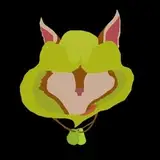
Welp, that's not the WIP I was talking about before. It's not as extensive as I had planned, but it covers most of the things I would like to share. A16 paragraph is right after "Animation quality downgrade".
A16 will be finished, despite the one major issue I'm trying to fix.
After I switched to Unreal and began using my new model, I began to see a significant quality drop in the animation itself. Yeah, in terms of graphics, it got a lot better. And maybe overall it feels better, but I'm really concerned about how characters move. There is something in old projects that makes them look and feel better. I can't stop looking at my old projects and thinking about how better they are.
And I think I know why it happened. With everything I now use, projects have become very time-consuming. Time to port, configure, and fix stuff in Unreal takes time. Houdini also added some work that takes time, and I'm not talking about simulations that take time to bake. To negate the insane jump in how long one project takes, I began to spend less time on animating, leaving small yet important details untouched.
Spending less time on the most important part of my projects made them worse despite an overall improvement in models, environment, and lighting. Good animation with mediocre visuals is better than bad animation with good visuals. At least this is what I currently see.
Now I want to return to old times when I was spending a ton of time working on animation and was trying to push the quality of animation instead of trying to finish the project as soon as I can. It will affect how often projects will be released, but I hope this change is worth it.
Or maybe I'm just overthinking it.
And A16 will be first on the list, where I try to push quality to my limits. Base loops will get a minor rework. I want to make it feel better and be more grounded, without Hoodwink moaning on every in and out. I'll add variations to it, like in my old projects. One important thing is to make Hoodwink move naturally, making the animation itself more alive.
The second GIF is the old ending sequence. It won't get into a reworked version. I saved this animation version in case something goes horribly wrong and I'll be forced to release the old version.
Now to the new and reworked animation. The animation will get longer, in its core it's still a one loop played over and over, just with a pretty wrapper. The way I work on it reminds A15, so I guess it will look similar in quality. Animation itself got split into multiple parts: Short intro > Main Loop (Side-view) > Main Loop (Rear-view) > Speed-up > Ending part 1 > Ending part 2.
Main parts will be done quickly (I hope) as I'll use the old loop as its core with slight changes and added variations. The same goes for the speed-up part. The intro and ending will be the most time-consuming.
I'm still working on the intro, and the first GIF you see here is the unfinished first seconds of the animation beginning. That's all for A16.
And no, she doesn't wake up ready to be filled. She falls on her fours before the beginning of the animation. I just don't want to animate it and add to the intro, as it will take too much time and will mess with physics.
You may have noticed, but CA11 had something I rarely add to my projects. Especially if you look at her necklace. And I'm talking about physics. Firstly, I want to thank you for your support! Without you, it wouldn't be possible to get to this point of progress. And you may have guessed, but I've acquired Houdini license and now can use it in my projects.
This should be a huge improvement for the overall look of projects. And as you can see, it does!
I currently utilize it on a limited basis because I have only begun using it in production, and I already have issues with it. With time, I'll be able to use more and more of its features. Even with its current limited use, it can do:
Cloth physics (CA11 - Cape and necklace)
Environmental procedural models (CA11, CA10)
Liquid simulations (A16 - Will be in the ending)
Liquid strings (I showcased it before)
Procedural animation* (CA11)
Feels like not much, but it's just a surface of possibilities. It also serves as a bridge between Blender and Unreal, as it can import animations done in Blender 1 to 1, even if I use modifiers. And the way it exports gives me full control over how exactly it exports. This also means I'm no longer forced to use Auto-Rig Pro for the rig system in my model.
*Procedural animation - Yes, you heard me right. With enough patience, I can procedurally generate animation loops and tweak parameters to make dynamic variations. This can be useful, but honestly, I think it's better to manually animate loops with variations as it will yield better results in less time. But it can be useful to tweak the loop dynamically.
I also put physics based procedural animation here, and it's a HUGE deal for me. I finally got a solution to the most frustrating part of animating Hoodwink - her tail. Its insanely hard for me to animate her tail properly, and it takes a ton of time to animate it. With this tool, I can do a good tail animation in a short time.
I'll take CA11 for example, as it's the first animation where I've tried it. I've animated only the base of the tail for the active part, where she tries to free herself. I left her tail in a calm part unanimated. Then I took animation into Houdini and added procedural animation to the first few bones of the tail in the calm part. Now I have a basic tail animation for the whole animation. After that, I've simulated her tail and added the resulting simulation on top of the base animation. That way, I got a fully animated and more or less physically correct tail. I've spent a lot less time working on her tail, and got results better than if I animated it manually.























![[ Y a r a ]](https://samsuka.com/istorage/57725.jpg)