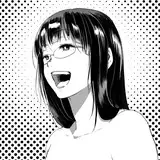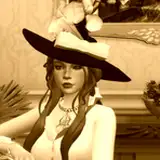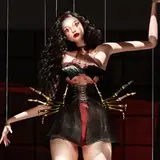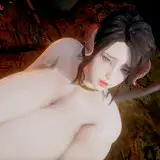
Lineart by: pyramidhead1981
https://www.deviantart.com/pyramidhead1981
English
Why should I paint in gray?
Because it is much easier to do the shading and the colors are not distracting.
1: First we paint in gray the area where we are going to work.
2: This step is optional but highly recommended, you can use of 3D references to helps calculate shadows and proportions.
I use this program which is free https://webapp.magicposer.com/
(it takes me 5 min to do this pose)
3: It is important to start with the main shadows and cover the most important areas.
4: In this step I use a Proko tutorial https://www.youtube.com/watch?v=V3WmrWUEIJo
To choose a good color combination, I recommend this tool: https://color.adobe.com/explore (it's free)
5: I use this tutorial to paint grey in colors https://www.youtube.com/watch?v=3Zkh8KV2vbQ
This works in Clip Studio or Photoshop.
If you don't have Photoshop or clip studio, you can use this tutorial https://www.youtube.com/watch?v=LeZc-uYXv3Y&t
6 and 7: Cut the areas you are going to paint with the select tool and put it on different layers. In this way we can apply color to the specific areas.
8: At the end of the drawing you can merge all the layers and apply effects, I like the color adjustment tool.
Cold colors (blue, light blue ...) for shadows and warm colors for light (yellow, orange ...)
Español:
¿Por que debo pintar en grises?
Porque es muchísimo mas fácil hacer el sombreado y los colores no distraen.
1: Primero pintamos en gris el area donde vamos a trabajar.
2: Este paso es opcional pero muy recomendado, el uso de referencias en 3D ayuda a calcular las sombras y proporciones.
Yo use este programa que es gratis https://webapp.magicposer.com/
(tarde 5 min en hacer la pose)
3: Es importante empezar con las sombras principales y cubrir las areas mas importantes.
4: En este paso use un tutorial de Proko https://www.youtube.com/watch?v=V3WmrWUEIJo
Para elegir una buena combinación de colores, yo les recomiendo esta herramienta: https://color.adobe.com/explore (es gratis)
5: Yo use este tutorial para pintar los colores https://www.youtube.com/watch?v=3Zkh8KV2vbQ
Esto funciona en el Clip Studio o en el Photoshop.
Si no tienes Photoshop, puedes usar este tutorial https://www.youtube.com/watch?v=LeZc-uYXv3Y&t
6 y 7: Recortar cada objeto y ponerlo en diferentes capas. De esta forma podemos aplicar color a los objetos por separado.
8: Al terminar el dibujo se puede unir todas las capas y aplicar efectos, a mi me gusta la herramienta de ajustar colores.
Colores fríos (azul, celeste...) para las sombras y colores cálidos para la luz (amarillo, naranja...)