
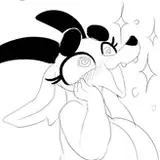
The beauty of the optional Bonus Content system is that it can offer you a wide range of different content based on what you like. Some will be traditional, like the Boob Shots pack, and others add content that you wouldn't find in the main game. Like this one: In Heat Furry Pack
Soft, thick, and oh-so tempting… these curvy furry babes know how to show it off. If luscious furries get you going, this pack is made for you! It adds 40 furry shots to your collection! You can download it here and plug it into your game any time.
Note: There are 500+ photos that can be added as Bonus Content to Snapshot. A bonus content manager to handle this is currently in VIP Pre-Access, but you can already activate the packages by downloading it here and putting it in the Mods folder!
Install guide:
Step 1: Find the Mods Folder
Inside your Snapshot! game folder, there is a folder called "BonusContent".
Don't see the BonusContent folder even though you have the newest version? Then create it by your own. Some zip software deletes empty folders when unpacking.
Step 2: Install the Pack
Download the InHeat.zip file.
Extract the contents of the .zip and copy it into the Snapshot!\BonusContent\... folder
The result should look like this:
Snapshot! V0.X\BonusContent\InHeat\InHeat.ini
✔ When you start Snapshot!, the pack will appear in the Bonus Content Manager.
✔ You will see a text message in the top-right of the main menu when a pack is activated.
❌ If you don’t see the pack, it is not in the right folder.
Make sure extracting the pack does not create an extra folder, e.g.
WRONG: Snapshot! V0.X\BonusContent\InHeat\InHeat\InHeat.ini
Step 3: Play the game as normal
The furry photos will now appear when doing regular upskirt photos with the standard camera lens.
If you want to remove this pack again, you can just remove the InHeat folder out of your Snapshot game folder gain.
Great work by Pytard on this pack! You can find more community content in the #community-mods channel on discord.
Note: You can have multiple of these packs in parallel, each in their own folder.


























![ルンバ[v]](https://samsuka.com/istorage/29688.jpg)