
We are excited to unveil the General Availability release of ImageGlass 9.0, and it's packed with exciting new features and enhancements to make your photo viewing experience even better. This major update has been in the works for over three years, and we are proud to present it to our dedicated user community.
Please support this project by making a donation or purchasing from Microsoft Store: https://www.microsoft.com/store/productId/9N33VZK3C7TH?cid=ig_website_bag&referrer=appbadge&source=patreon
ImageGlass 9 drops support for Windows 10 version 1909 (November 2019 Update) and older, including Windows 8.1, 8 and 7. Please note that 32-bit x86 version is also no longer supported.
Here are the new requirements:
Before upgrading to ImageGlass 9, please take note of the following changes:
Here is the list of features of version 8 are not available in version 9:
⚠️ If you were enabling the setting "Start with OS to improve startup speed", make sure to disable it before upgrading to version 9.
ImageGlass 9's rendering engine now leverages GPU technology, resulting in significantly improved performance and image quality. Enjoy smooth zooming and panning even for large image dimensions and animated formats.
Additionally, the use of the newer version of .NET has reduced ImageGlass's startup time, eliminating the need to start with the OS.
ImageGlass 9 seamlessly combines functionality with a beautiful design, and it offers customization options to suit your preferences. Two modern theme packs, Kobe and Kobe - Light, come pre-installed. Transition between light and dark modes, adapting effortlessly to your system settings.
Moreover, Windows 11 users can enjoy transparent backdrop styles, including Mica, Mica Alt, and Acrylic.
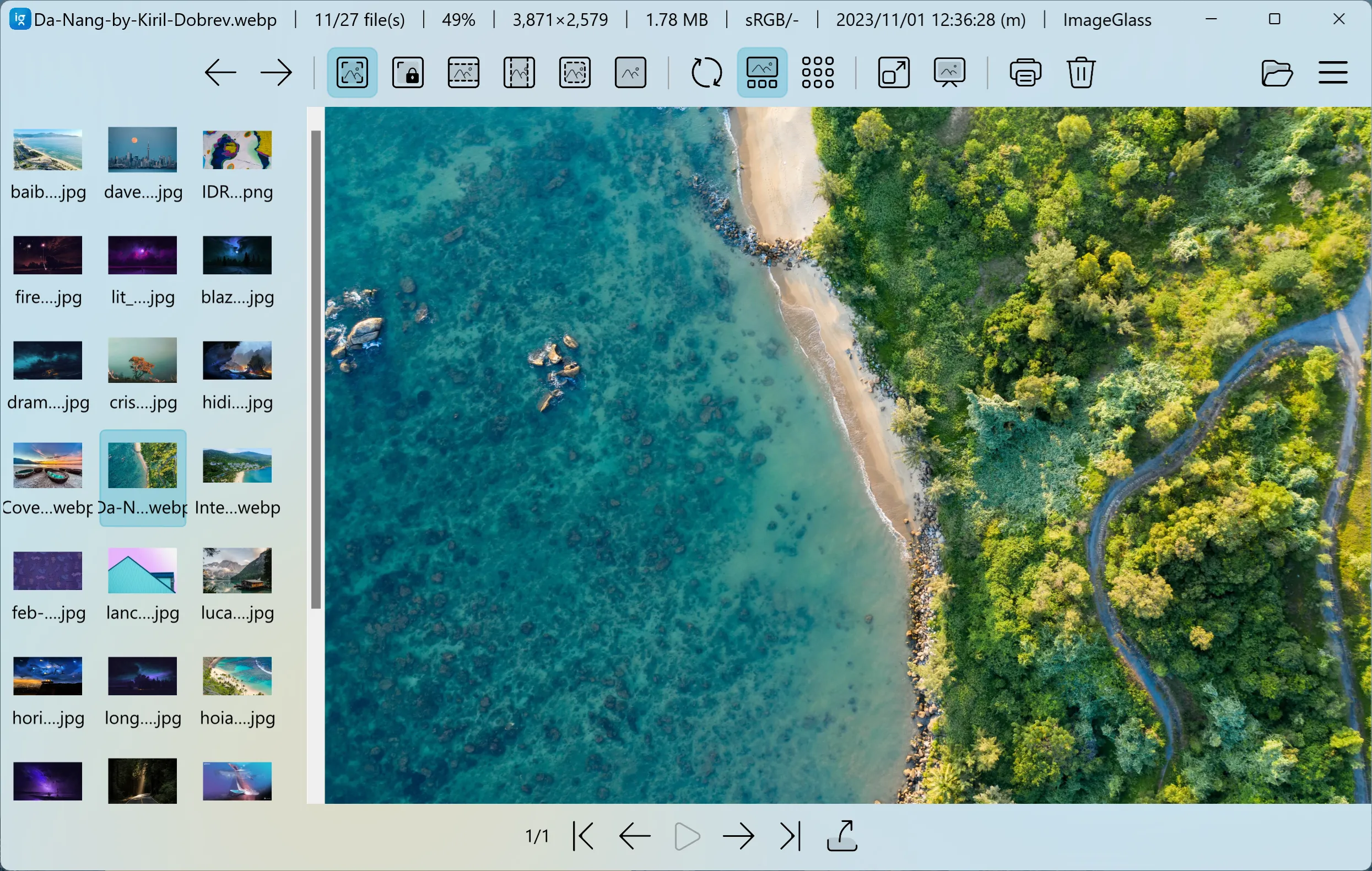
Customizing the app layout is now easier than ever. You can relocate the Toolbar to the top or bottom, position the Gallery to the sides, and enjoy a multi-column view of thumbnails. Customize the information displayed on the window title bar as per your preference.
ImageGlass 9 now includes touch gesture support for zooming and panning images, making the experience more intuitive and interactive. You can also use swipe gestures to scroll through thumbnails in the gallery.
ImageGlass 9 now offers correct scaling for SVG formats thanks to Webview2 integration. You can even interact with animated SVG files, including hovering, clicking, and displaying tooltips.
This feature comes with some limitations, you can switch back to the native rendering engine by unchecking the option "Use Webview2 for viewing SVG format" in the app settings.
ImageGlass 9 introduces sleek and performant window modes. You can combine various modes to tailor your viewing experience.
The slideshow view in ImageGlass 9 now opens in a separate window, allowing you to move it to other monitors without interrupting the main app.
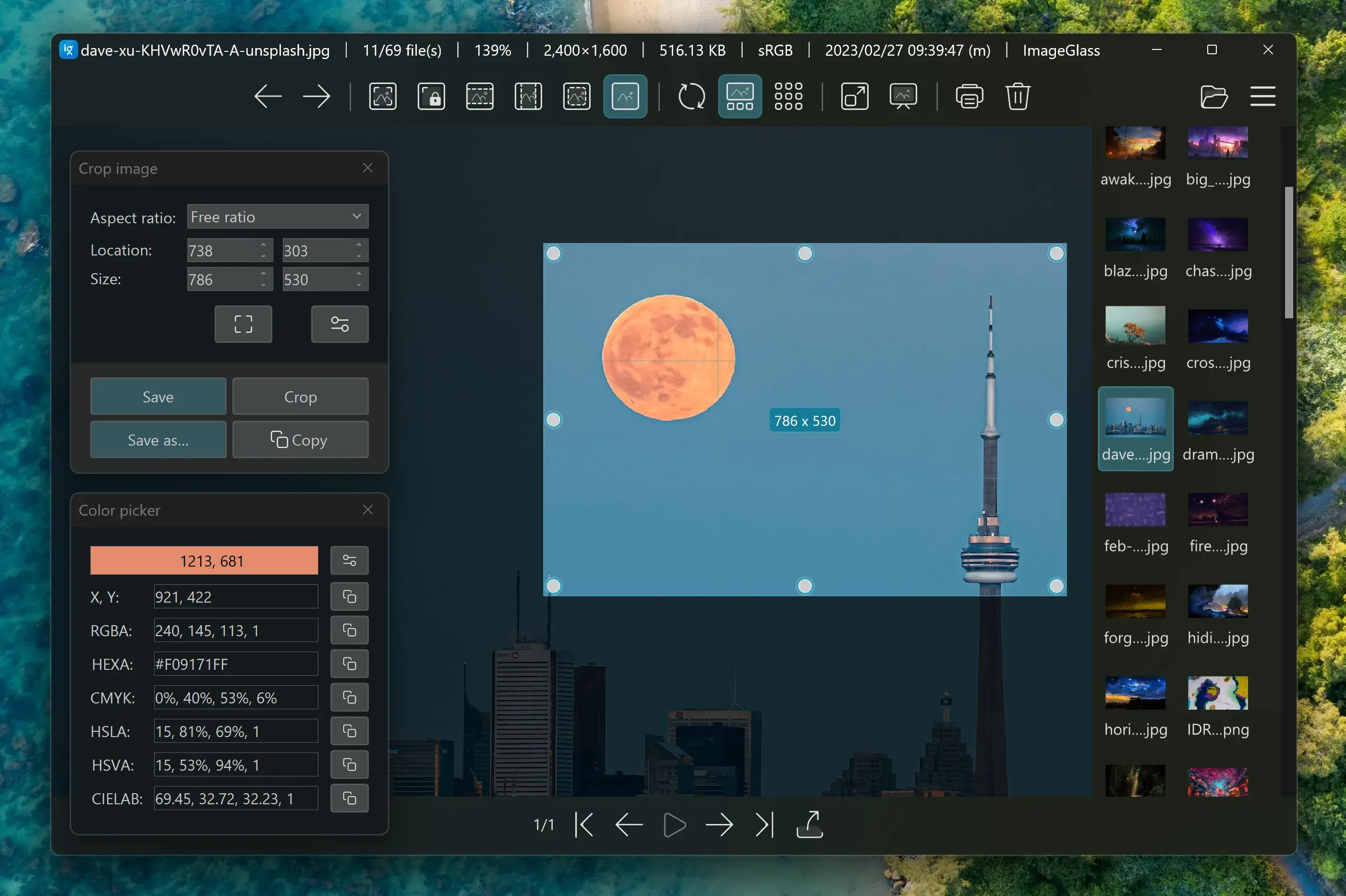
Color Picker tool now supports the CEILAB color format, making it easy to copy color codes.
Crop tool has significant update, supports aspect ratio for cropping image. You can quickly resize the selection area and see the size updated. More options are hidden in Crop tool settings where you can choose the default selection for every time open the tool.
Page navigation tool is now docked on the main window and is customizable in the app settings under the Layout tab. This tool now supports controlling animated images and exporting all image frames to files.
Exif viewer tool has been removed in version 9. However, you can install ExifGlass as an ImageGlass tool for better EXIF metadata viewing.
ImageGlass 9 provides developers with an API to integrate their apps. For more detail, refer to Docs / Build tools for ImageGlass.
You can add any apps as an ImageGlass tool and assign hotkeys to open them in the app settings under the Tools tab.
We continue to experiment with additional features that are not yet exposed in the app settings. These include:
Please be cautious of scams and only download ImageGlass from our official website. We highly recommend against downloading ImageGlass from any other source to avoid potential security risks. Additionally, if you encounter any bugs, have suggestions, or would like to provide feedback, please use our Issues tracker.