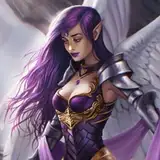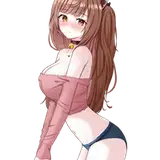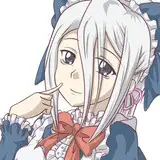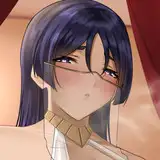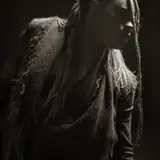
Hello Patricians and above! Today I release two long-requested replacers as a Christmas gift. We have Livia Salvian and Lyssia. Both from extremely good custom-voiced follower mods available on Nexus. I mean it when I say this - grab both of these followers not because of my replacers but because they are REALLY good followers with tons of custom voiced lines.
Requirements:
ColdSun's Pantheon - Assets (grab the assets for your body mod type) XP32 Maximum Skeleton Special Extended - XPMSSE
Livia Salvian Revamped - Custom Voiced Follower
Lyssia Custom Voiced Follower
Quick Help:
Q: My NPCs or Follower have purple textures or don't look right. What is the problem?
A: You need to be sure to download and install the Pantheon Assets Mod before this mod. Check the requirements section for the link. I've noticed that sometimes the download can be corrupted - you should also try to re-download the Asset mod if you have already installed it and still have issues. Finally, be sure you download the correct Asset Mod - this is not ColdSun's World. This is Pantheon. You need the Pantheon Asset mod for this mod.
Q: My faces look discolored or black.
A: You have a conflict with another mod that changes NPC records. Proper load order management is necessary for multiple NPC mods or mods that touch NPC records. When in doubt, put my mods near the end of your load order and give them overwrite priority on anything else.
Q: My BHUNP bodyslide gives me an error when I try to bodyslide.
A: Reinstall BHUNP and be sure to check the "Legacy" checkbox this time.
Q: My Textures look out of whack on the body.
A: Reinstall with the correct download for your body this time - that includes the assets mod.
Q: I have a neck seam (space between neck and body).
A: This can be remedied by following the instructions below:
1. Find Livia or Lyssia and stand in front of her.
2. Open the console (~)
3. Right-click on the NPC and you will see her ID appear in the middle of the screen. If you misclicked on another object step 4 won't work and try to right-click them again.
4. Type setnpcweight 75 ( for Livia) or 50 (for Lyssia) - and hit enter.
5. Type disable and hit enter.
6. Type enable and hit enter.
7. Close the console (~) and you should be all set.
Download Mirrors (Mediafire)
Pantheon Livia - 3BA
Pantheon Livia - BHUNP
Pantheon Livia - CBBE
Pantheon Lyssia - 3BA
Pantheon Lyssia - BHUNP
Pantheon Lyssia - CBBE
Heath Brown
2023-12-24 14:39:34 +0000 UTCcleefishn
2023-12-24 14:28:46 +0000 UTCCharles Ball
2023-12-22 21:53:23 +0000 UTCHeath Brown
2023-12-22 21:32:33 +0000 UTCSphincks
2023-12-22 21:11:25 +0000 UTC